Update Record
Updates a record in the database of an outbound campaign, making it available for immediate dialing.
 Inputs
| 1. | Record Key | (Mandatory) | The record key for the record being updated |
| 2. | Record Data | (Optional) | The XML document containing the fields to be updated |
| 3. | Agent ID | (Optional) | Set this value to mark the record to be called by a specific agent. Setting this field marks the record as a callback |
| 4. | Agent Outcome | (Optional) | Set this value to mark the record as having a specific agent outcome. This parameter must always have a numeric value associated with it, with a range from 0 to 9999. |
| 5. | Ring Back Number | (Optional) | The specific number to be dialled for callback (if overriding the regular number selection) |
| 6. | Telephony Outcome | (Optional) | Set this value to mark the record as having a specific telephony outcome. If the Planned Time (PT) parameter is specified, the record will be written with cause value -4 regardless of any setting for this parameter so that the record is processed as a callback |
| 7. | Close the Record | (Optional) | Set this value to true to mark the record as finalised in the database |
| 8. | Callback Planned Time | (Optional) | Set this value with an ISO8601 timestamp containing the time that the agent application is asking CallGem to make the call. The time is treated as local to the Server where CallGem resides |
| 9. | Campaign ID | (Optional) | The integer campaign ID |
| 10. | Campaign Name | (Optional) | The campaign name |
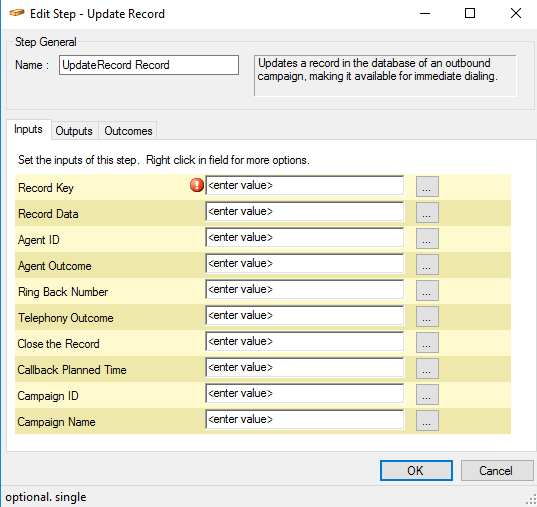
Fig. 1 - Update Record - Inputs
Outputs
None
Outcomes
Depending on the success of the operation:
| 1. | Next |
| 2. | Fail |