Load Dictionary
Loads a dictionary of keywords that may be used for text search.
 Inputs
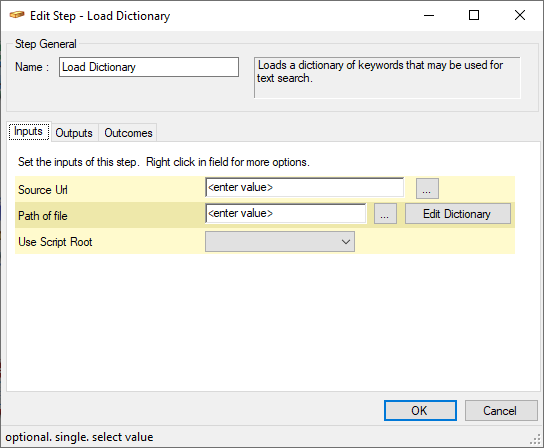
| 1. | Source Url | (Mandatory) | The URL linking to the document that is the dictionary source. This should be a plain text document with one word per line. |
| 2. | Path of file | (Mandatory) | The path linking to the document that is the dictionary source.
|
| 3. | Use Script Root | (Optional) | Use this to force a subscript to access a file in the main script directory. Only applicable when the File name is a relative file path. Select from
|
Outputs
| 1. | Dictionary Data | The Keyword dictionary expressed as an XML string |
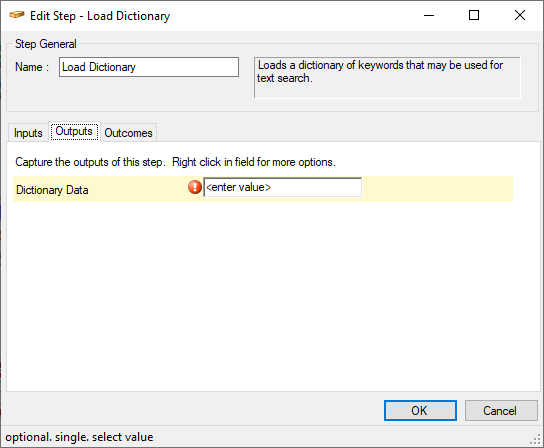
Fig. 2 - Load Dictionary - Outputs
Outcomes
Depending on the outcome of the operation.
| 1. | Next | |
| 1. | Fail |
Working with Dictionaries
A dictionary may be used by a bot to identify (likely) customer intention and provide preset responses within a script.
To open and edit an existing dictionary:
- in the Path of file field (Fig. 1), enter the path, or browse, to the relevant dictionary
- click on
To create and define a new dictionary:
- leave the Path of file field (Fig. 1) empty
- click on
A new dictionary will be created based on default dictionary. The default dictionary already has some intentions and responses that will always be required.
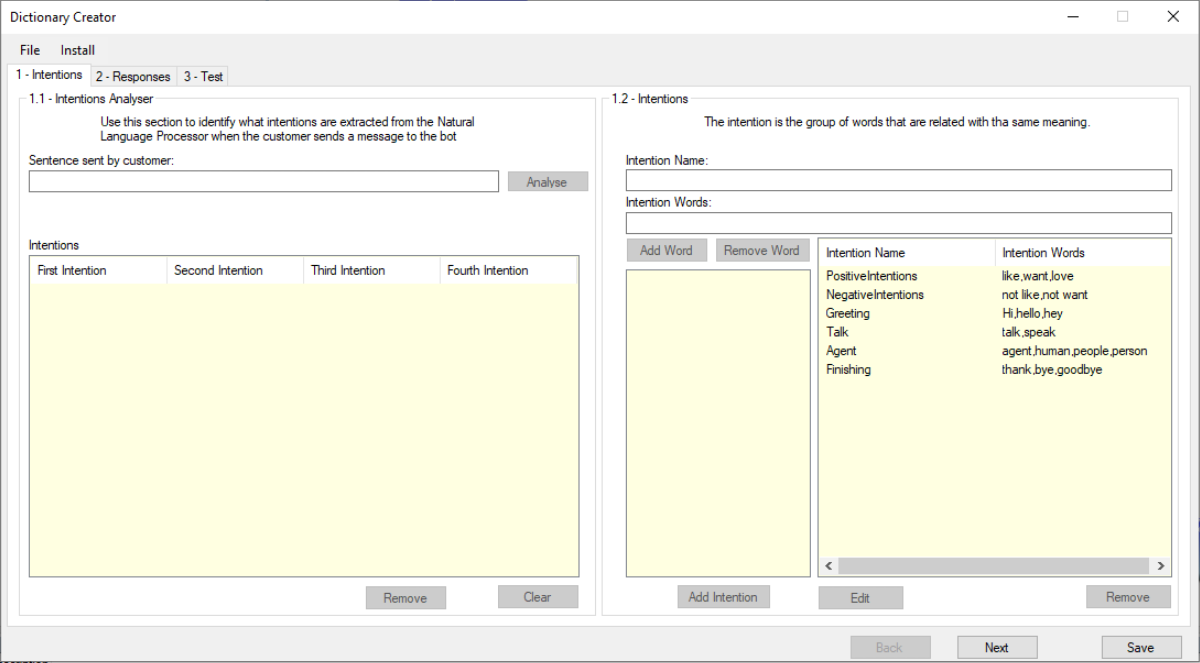
Clicking on opens the Dictionary Creator dialogue (Fig. 3).
To import a dictionary that you have used at another project:
- In the Dictionary Creator dialogue, top menu, select File > Import Dictionary
- Locate the relevant dictionary
- Click Import